Your containers can explain why they crashed.
Wharfside is a native macOS app that diagnoses crashed containers on Apple's container runtime. Deterministic rules settle what the evidence settles; Apple's on-device model explains the rest — no API keys, no cloud, and your logs never leave your Mac.
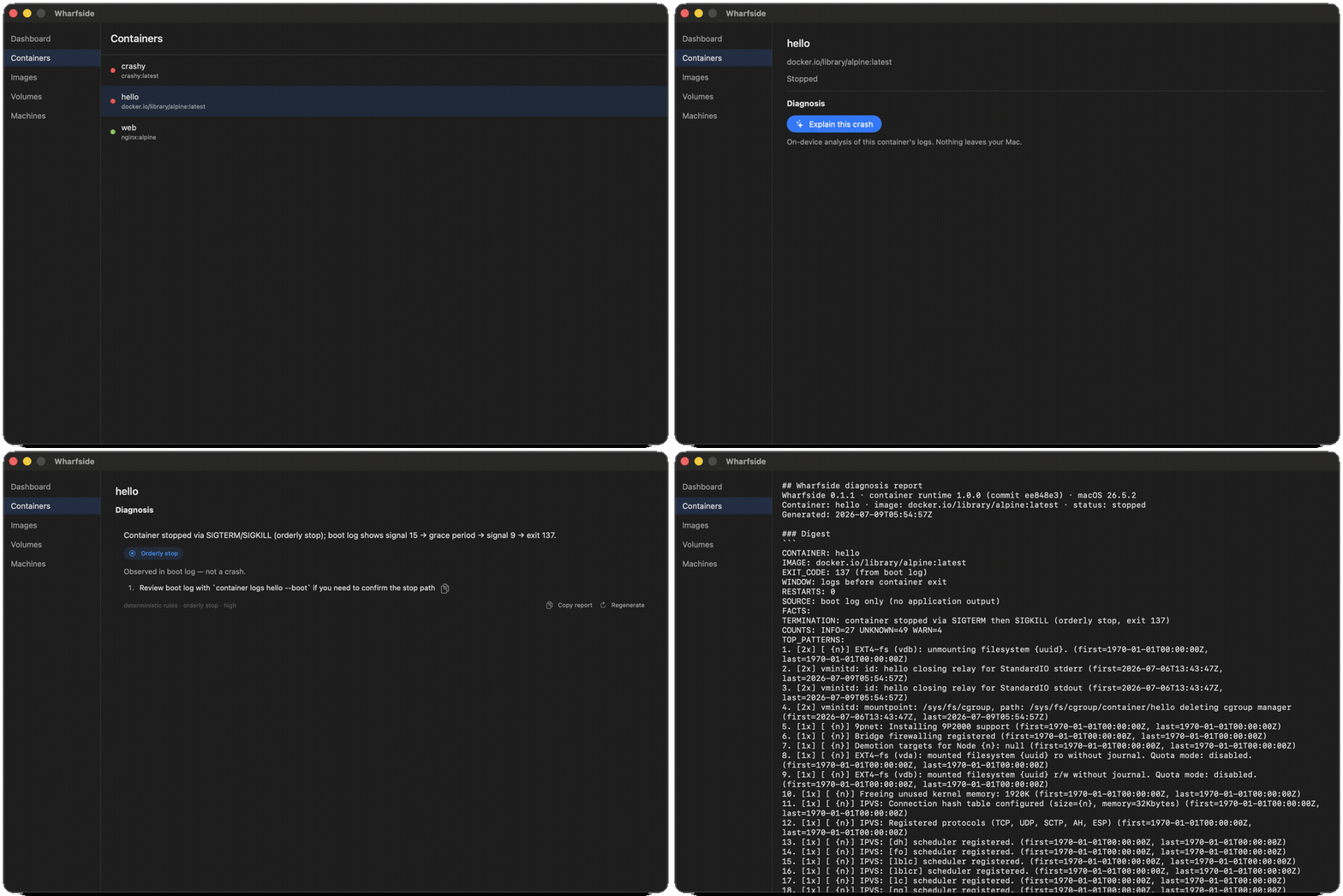
deterministic rules · orderly stop ·
                        high
. The model was never invoked for this one.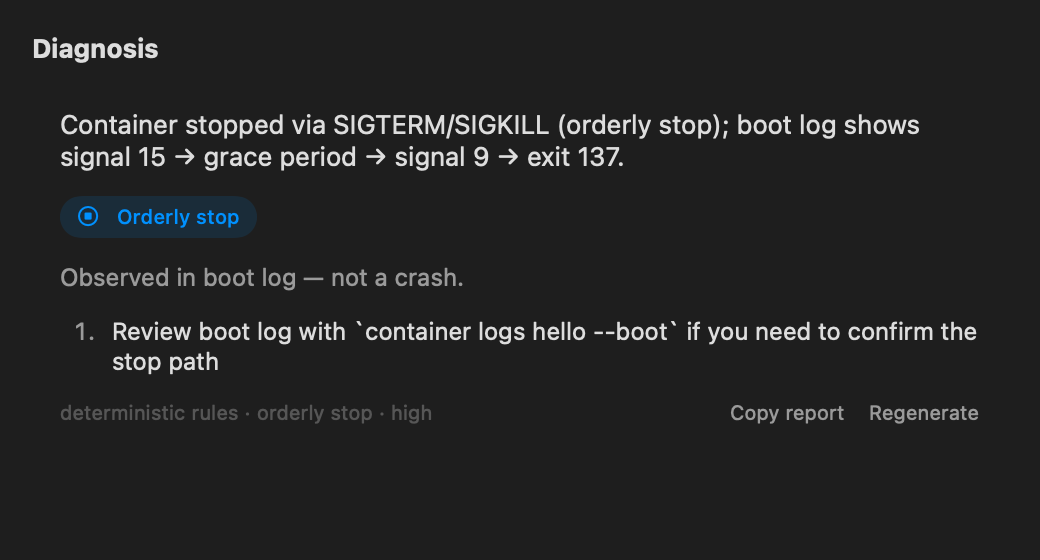
Diagnosis, not log spelunking
One click on a dead container returns the likely root cause, a category, and
next steps. Deterministic code recovers the exit evidence, filters
known-misleading noise, and settles clear-cut cases outright — the on-device
model only ever sees a compact, pre-cleaned digest, and only for genuinely
ambiguous failures. Every diagnosis is labeled with its source:
deterministic rules or on-device model.
Wrong? That makes it better.
Copy report produces a shareable Markdown reproduction — the exact digest that was analyzed, the conclusion, which rules fired, and version info. Wrong diagnoses become regression fixtures, and fixtures become rules in a versioned, Ed25519-signed rulebook. The report quotes the last few log lines as evidence, so the app reminds you to review it before posting.
Private by architecture
Analysis runs entirely on-device via Apple's Foundation Models. There is no API key to configure, no telemetry, and no network path for your logs to take. Without Apple Intelligence, the AI tier switches off honestly — and everything else keeps working.
Native, the whole way down
SwiftUI throughout, talking XPC directly to Apple's container runtime. Signed, notarized, and small — the way a Mac tool should arrive. Need a full-featured management GUI? Davit is excellent, and the two coexist fine — Wharfside is the one you open when something died.
Next up
0.2 adds resource heuristics (idle CPU, memory trends, crash loops) with an AI advice tier that proposes a fix. 0.3 adds a ⌘K palette where the model can read anything, propose anything — and mutate nothing without your confirmation. Roadmap →
Install
Or grab the notarized DMG from Releases. Requires macOS 26+ on Apple silicon and apple/container 1.0+. Apple Intelligence enables the AI tier; everything else works without it.